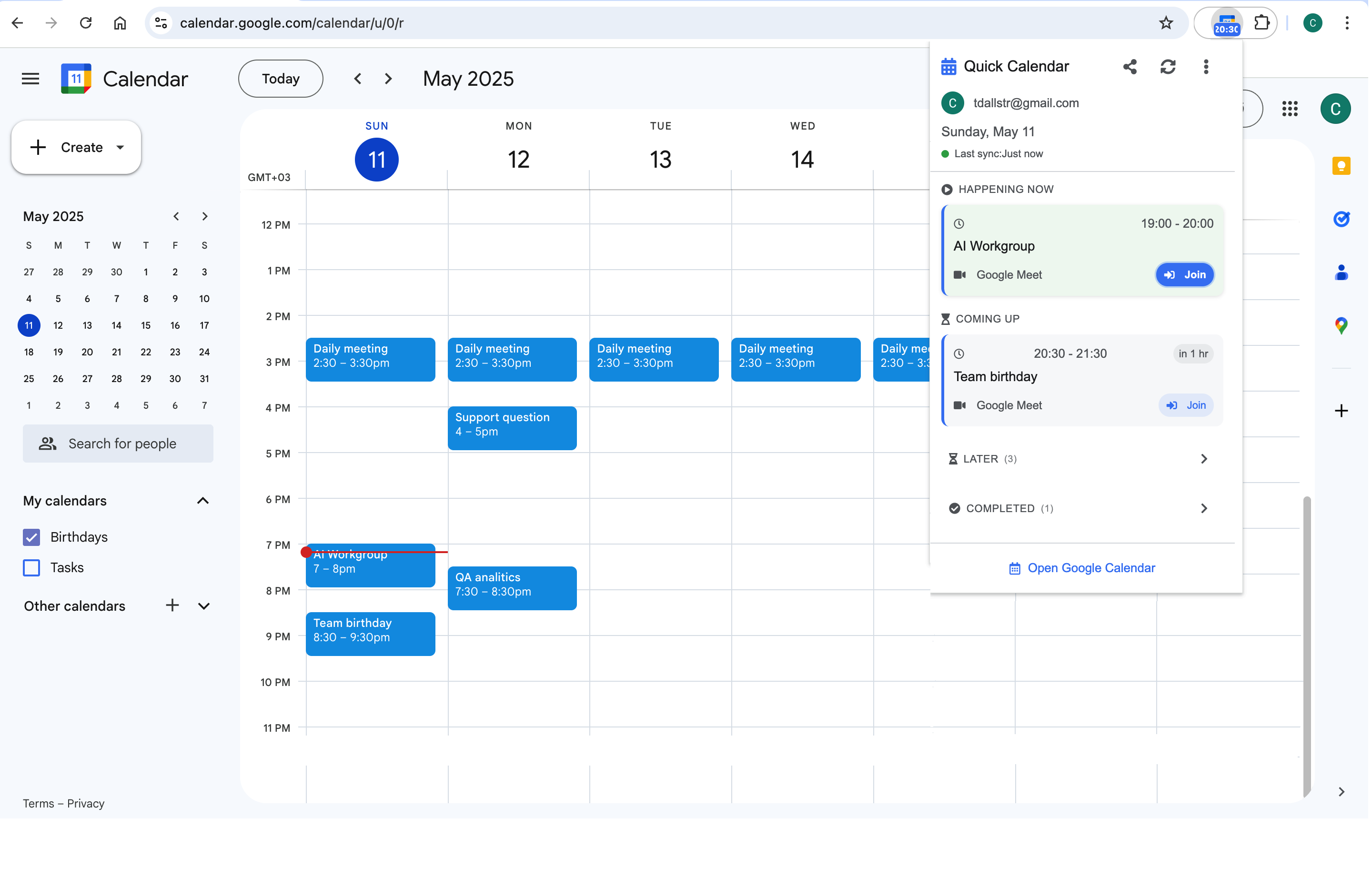
The test for every element
Minimalism has a working definition here: if removing something changes no decision you make this week, it is noise. Apply that test to calendars, events, colors, and notifications, in that order — it is surprising how much of a default setup fails it.
Pass 1: the calendar list (10 minutes)
Open the left sidebar and read every calendar you own or follow. Typical finds: "Birthdays" (Contacts-powered, mostly people you last emailed in 2019), holidays for a country you left, a shared project calendar for a project that shipped, sports schedules, a colleague’s calendar you subscribed to for one meeting. For each: untick to hide if you need it occasionally, unsubscribe entirely (hover → X or three-dot menu) if you haven’t needed it in a quarter. Target: three visible calendars or fewer on a normal day.
Pass 2: recurring events (20 minutes, biggest payoff)
Recurring events are where calendars silently rot — each one is a decision made once by a past version of you, executing forever. List yours (search is fastest: type the name, check the series) and sort into three buckets:
- Still true — keep, but re-time to the short default (60 → 45, 30 → 25).
- True but wrong shape — the weekly that should be fortnightly, the standing 1:1 that outlived the project. Edit the series, don’t endure it.
- No longer true — delete the series. If deleting feels rude (it’s shared), propose the end: "This has served its purpose — pausing the series; anyone can revive it with an agenda."
Pass 3: what deserves to be an event at all
Minimal calendars hold commitments with a time and a cost of missing them: meetings, focus blocks, appointments, hard deadlines. They do not hold aspirations ("gym?"), tasks that fit any hour ("email Alex"), or notes-to-self. Move the tasks to a list and the aspirations to a habit you either schedule for real or admit you won’t do. A calendar half-full of soft entries teaches you that entries are ignorable — which is precisely the property a calendar cannot afford.
Pass 4: visual quiet
Two settings finish the job. Reduce colors to a handful with meanings (external / internal / focus / personal is plenty — more colors, less signal). Then Settings → View options: turn off weekends if you never schedule them, and set the default to Day view — week view invites planning anxiety during what should be a glance.
Keeping it minimal: three standing rules
- New recurring events get an end date. Eight weeks default; renewal requires the meeting to justify itself.
- One in, one out for calendars. Subscribing to a new overlay costs unsubscribing from one.
- A five-minute Friday sweep: delete stale events from next week, decline what you already know you’ll skip. Minimalism is maintenance, not a makeover.
A quiet calendar makes small surfaces work better: with three calendars and honest events, a toolbar popup like Calendar Extension for Google Calendar™ shows a day strip that is entirely signal — the minimalist payoff, visible every time you glance.
Frequently asked questions
No notification is sent when you unsubscribe from or hide a calendar someone shared; your access remains (you can re-add it from the invite link or ask again). Hiding is even softer — the data stays synced, just invisible until ticked.
Hidden calendars stay in the left sidebar list, just unticked — tick to restore. If you fully unsubscribed, re-add via "Other calendars → +" (Subscribe to calendar) for people, or the original sharing link for secondary calendars.
Deleting "All events" removes the series history from your view as well. If the past record matters (1:1 notes in event descriptions, say), end the series instead: edit → change the end date to today. History stays, future noise stops.
You still press W for week view when planning — that is a deliberate session. The default matters for the thirty incidental opens a day, and those want today, not a seven-column wall. Defaults should serve the frequent case, not the important one.